INS'hAck 2019 — Neurovision (Misc 206pts)
Reverse engineering a Keras neural network model by visualizing its weights as a bitmap image to reveal a hidden flag.
Reverse engineering a Keras model’s weights to reconstruct a hidden image containing the flag.
Challenge Details
Category: Misc | Points: 206 | Solves: 20
We found this strange file from an AI Startup. Maybe it contains sensitive information…
Initial Analysis
The provided file is an HDF5 file (Keras model format):
file neurovision-2d327377b559adb7fc04e0c3ee5c950c
# → Hierarchical Data Format (version 5) data
Running strings reveals the model architecture:
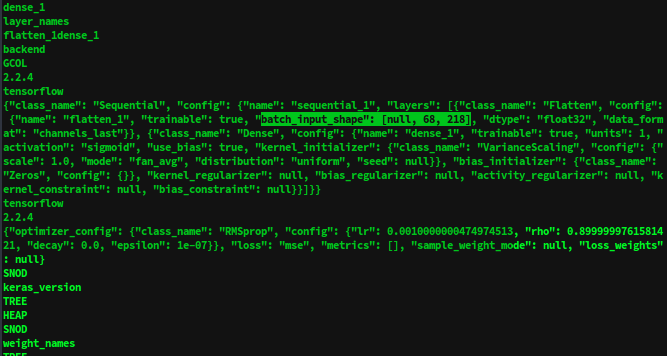
{
  "class_name": "Sequential",
  "config": {
    "layers": [
      {"class_name": "Flatten", "config": {"batch_input_shape": [null, 68, 218]}},
      {"class_name": "Dense", "config": {"units": 1, "activation": "sigmoid"}}
    ]
  }
}
Key observations:
- Input shape:
68 × 218(looks like an image) - Single sigmoid output (binary classification)
- Only one Dense layer — no hidden layers
Solution 1: Weight Visualization
Load the model and inspect its weights:
from keras.models import load_model
import numpy as np
from PIL import Image

model = load_model("neurovision-2d327377b559adb7fc04e0c3ee5c950c")

# Weights are all the same absolute value, but ± sign
weights = model.get_weights()[0]
print(weights[:5])
# [[-4.2567684e-05], [-4.2567684e-05], [4.2567684e-05], ...]
The sign pattern encodes binary data — negative weights → black pixels, positive → white pixels.
# Convert weights to pixel values (0 or 255)
pixel_values = ((weights + 1) * 255 / 2).astype(np.uint8)
image = pixel_values.reshape((68, 218))

flag_img = Image.fromarray(image)
flag_img.save('flag.png')
Running the script in Google Colab:
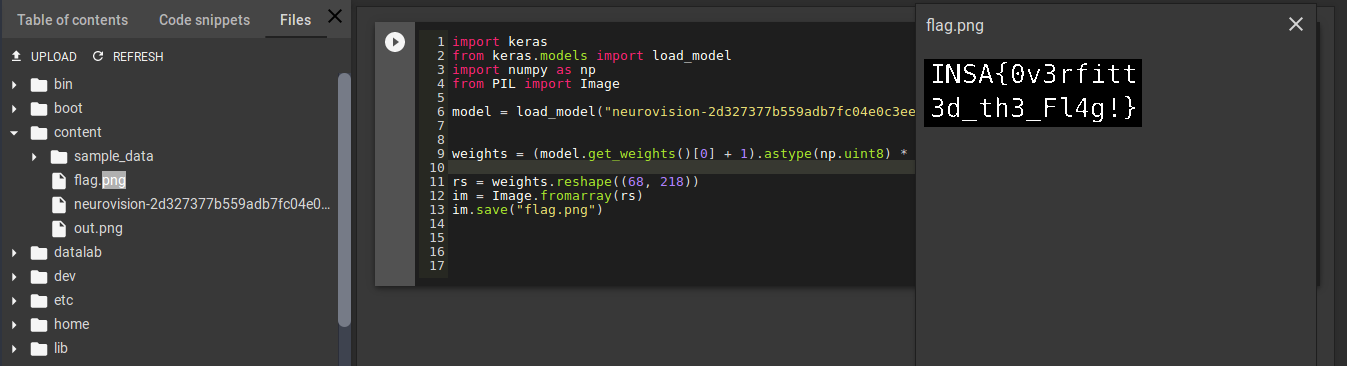
Flag: INSA{0v3erfitt3d_th3_Fl4g!}
Solution 2: Gradient Descent
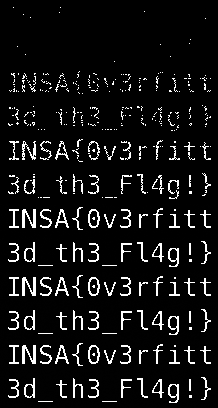
A more creative approach — generate a random image and use gradient descent to maximize the model’s output to 1.
The Sigmoid Function
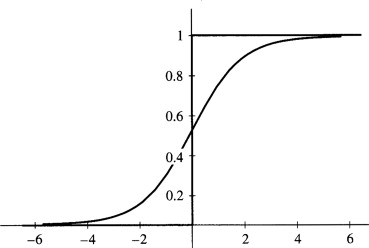
The output is a sigmoid, so it lies in [0, 1]. We want to find an input image that drives the output to 1.
import numpy as np
from keras import backend
from keras.losses import mean_squared_error
from PIL import Image

# Define cost and gradient
out_layer = model.layers[1].output
in_layer = model.layers[0].input

cost = mean_squared_error(out_layer, 1)
grad = backend.gradients(cost, in_layer)[0]
get_cost_and_grad = backend.function([in_layer], [cost, grad])

# Gradient descent on random image
image = np.random.rand(1, 68, 218).astype(np.float32)
lr = 1000
frames = []

while True:
    cost_, grad_ = get_cost_and_grad([image])
    if cost_ < 0.1:
        break
    image -= grad_ * lr
    frames.append(Image.fromarray((image * 255).astype(np.uint8).reshape(68, 218)))

# Save as animated GIF showing the flag emerge from noise
frames[0].save("flag_emergence.gif",
               save_all=True, append_images=frames[1:],
               duration=100, loop=0)
The GIF shows the flag gradually crystallizing from random noise:
Why This Works
The model was overfitted to a single image — the flag itself. The Dense layer’s weights directly encode the pixel values of that image (multiplied by a constant). Since the activation is sigmoid and there’s no nonlinearity before it, the weights are essentially a linear projection of the input pixels.
By reshaping the weight vector to match the input dimensions, we recover the original image.