Setup FTPS Server on Archlinux
A complete guide to setting up a secure FTP and FTPS server on Archlinux using vsftpd, including SSL/TLS configuration and user management.
History of FTP servers
The original specification for the File Transfer Protocol was written by Abhay Bhushan and published as RFC 114 on 16 April 1971. Until 1980, FTP was still running on NCP (Network Control Program) the predecessor of TCP/IP, the protocol was later replaced by a TCP/IP version, RFC 765 (June 1980).
Protocol Overview
FTP can run in either active or passive mode, the mode determines how the data connection is established. In both cases, the client first creates a TCP control connection from a random source port to the FTP server command port 21.
- active mode: The client starts listening for incoming data connections from the server on
PORT M. The server then initiates a data channel to the client from its port 20. - passive mode: Used when the client is behind a firewall blocking incoming TCP connections. The client sends a
PASVcommand and receives a server IP and port to open a data connection.
Installing vsftpd
vsftpd package is available from Arch’s official repositories:
sudo pacman -S vsftpd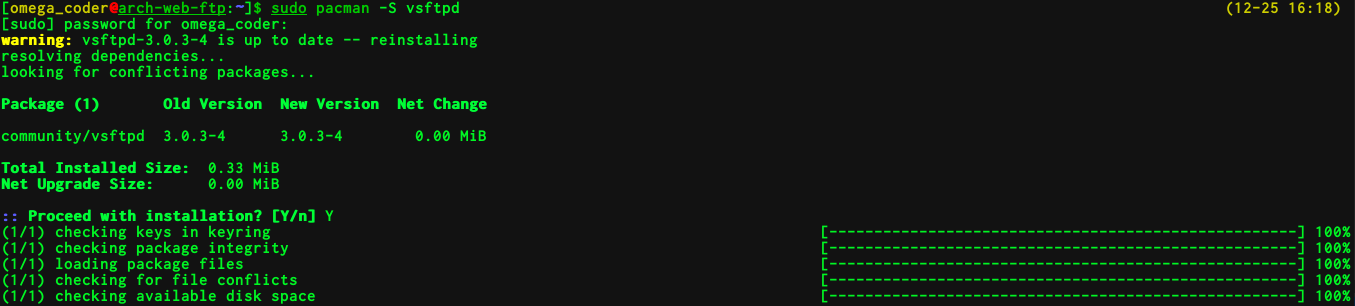
FTP Configuration
Configure vsftpd as a Plain FTP server
Edit the configuration file:
sudo vim /etc/vsftpd.confUncomment and set the following lines:
anonymous_enable=NO
local_enable=YES
write_enable=YES
local_umask=022- anonymous_enable=NO: Disallow anonymous access
- local_enable=YES: Allow local users to use FTP
- write_enable=YES: Allow upload and write operations
- local_umask=022: Files created by FTP are readable by all
Restart vsftpd:
sudo systemctl restart vsftpdTest that it’s working:

Creating a dedicated FTP user
For security, create an isolated FTP-only user that cannot login via SSH:
sudo useradd -g ftp -d /srv/http -s /sbin/nologin userftp
passwd userftp
Set the nopriv_user option in the config:
nopriv_user=userftpFix permissions:
sudo chown -R userftp /srv/http
sudo chmod -R 644 /srv/http
Configure vsftpd as an FTPS server
Generate an SSL certificate:
cd /etc/ssl/certs
openssl req -x509 -nodes -days 365 -newkey rsa:2048 \
  -keyout vsftpd.pem -out vsftpd.pem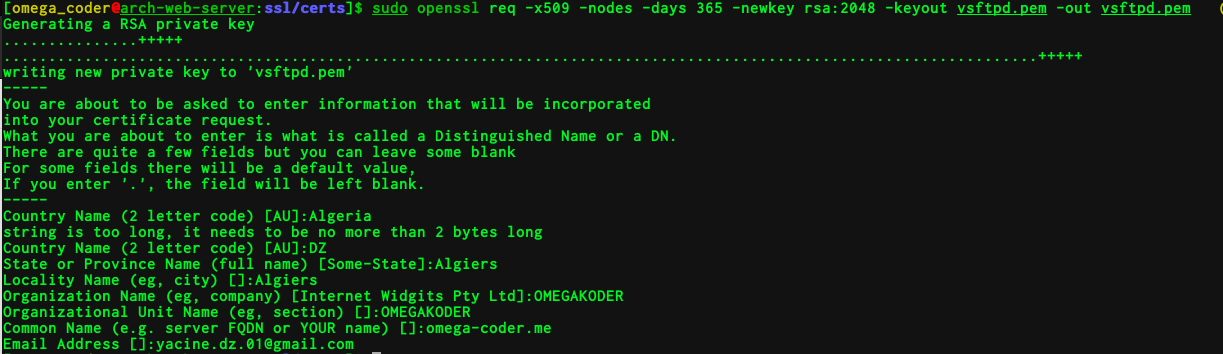
Add SSL options to /etc/vsftpd.conf:
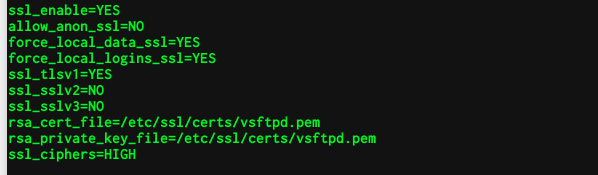
ssl_enable=YES
allow_anon_ssl=NO
force_local_data_ssl=YES
force_local_logins_ssl=YES
ssl_tlsv1=YES
ssl_sslv2=NO
ssl_sslv3=NO
rsa_cert_file=/etc/ssl/certs/vsftpd.pem
rsa_private_key_file=/etc/ssl/certs/vsftpd.pem
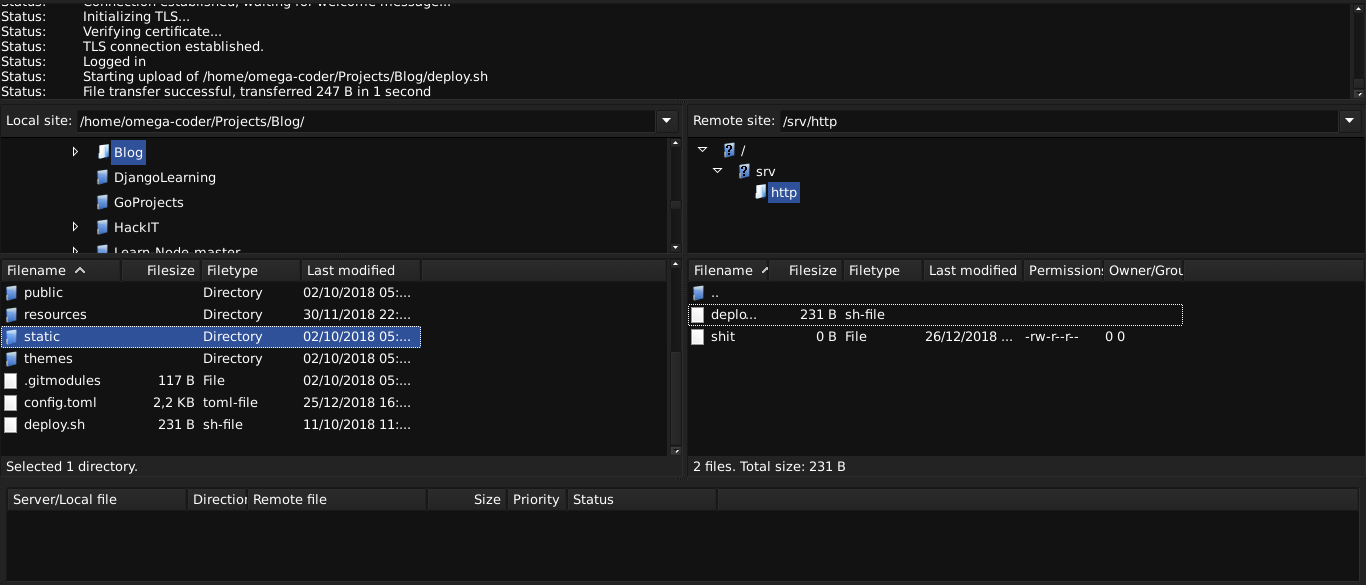
Connect using FileZilla with FTPS (explicit FTP over TLS):
FTP vs FTPS in Wireshark
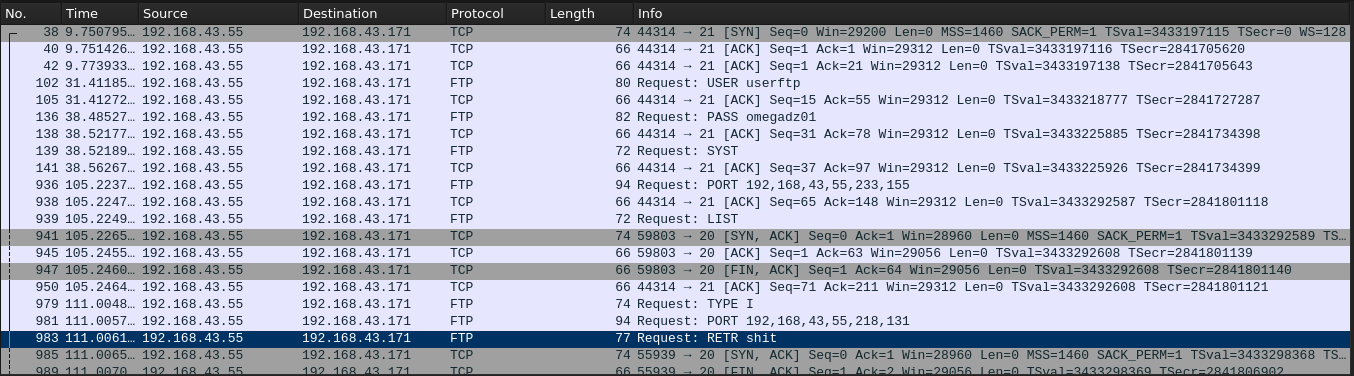
FTP — Credentials and files transmitted in plaintext. A sniffer captures everything:
FTPS — All traffic is encrypted over TLS. Sniffing only shows ciphertext:
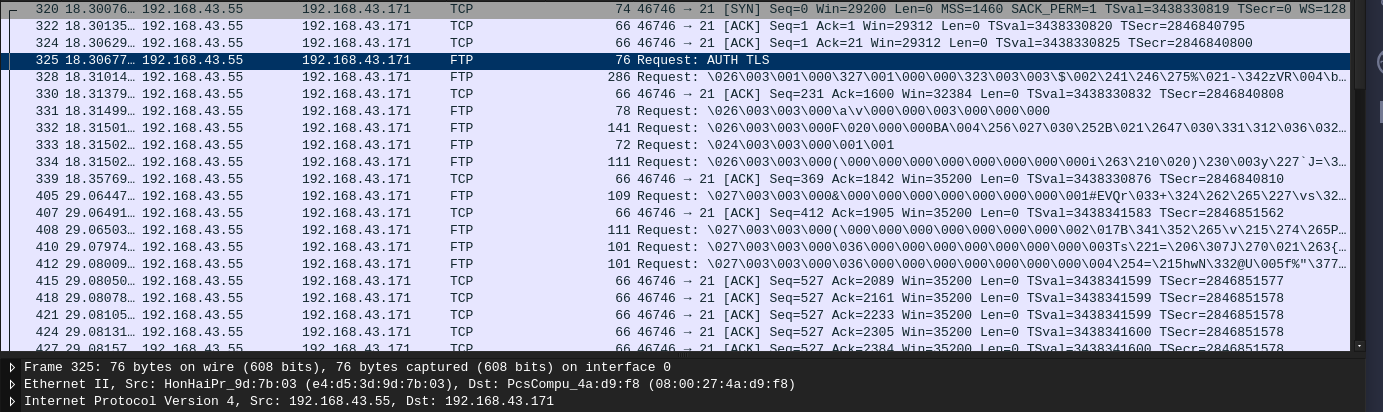
The difference is stark. Never use plain FTP for production systems — always enforce FTPS or SFTP.