Streaming Server with NGINX and nginx-rtmp-module
Build your own HLS and VoD streaming server from scratch using NGINX compiled with the nginx-rtmp-module on Ubuntu 16.04.
Introduction
Most people stream via Twitch or YouTube, but running your own RTMP server gives you full control — multicast support, multiple destinations, and no platform dependency.
This guide sets up an RTMP streaming server on Ubuntu 16.04 using NGINX compiled with the nginx-rtmp-module.
What is RTMP?
Real Time Messaging Protocol (RTMP) was developed by Macromedia for streaming to Adobe Flash. It’s a TCP-based, stateful protocol — unlike HTTP which is stateless.
RTMP advantages over HTTP:
- Multicast support
- Security via TLS/SSL or RTMPE
- Instant seeking on long content
- Automatic reconnect on network drops
Step 1 — Install NGINX Dependencies
sudo apt install build-essential libpcre3 libpcre3-dev libssl-devStep 2 — Clone nginx-rtmp-module
git clone https://github.com/sergey-dryabzhinsky/nginx-rtmp-module.gitStep 3 — Download and Compile NGINX
wget http://nginx.org/download/nginx-1.14.2.tar.gz
tar -xf nginx-1.14.2.tar.gz
cd nginx-1.14.2

./configure --with-http_ssl_module --add-module=../nginx-rtmp-module
make -j $(nproc)
sudo make install
Start the server:
sudo /usr/local/nginx/sbin/nginxStep 4 — Configure NGINX RTMP
Edit /usr/local/nginx/conf/nginx.conf and add the following outside the http {} block:
rtmp {
    server {
        listen 1935;
        chunk_size 4096;
        max_connections 100;
        ping 30s;

        application my_live {
            live on;
            hls on;
            hls_path /tmp/hls;
            hls_fragment 3s;
            hls_playlist_length 60s;

            # Disable RTMP playback, use HLS only
            deny play all;
        }

        application vod {
            play /usr/local/nginx/rtmp;
        }
    }
}
Create the VoD directory and place your .mp4 files there:
sudo mkdir -p /usr/local/nginx/rtmp
Reload NGINX:
sudo /usr/local/nginx/sbin/nginx -s reloadStep 5 — Testing
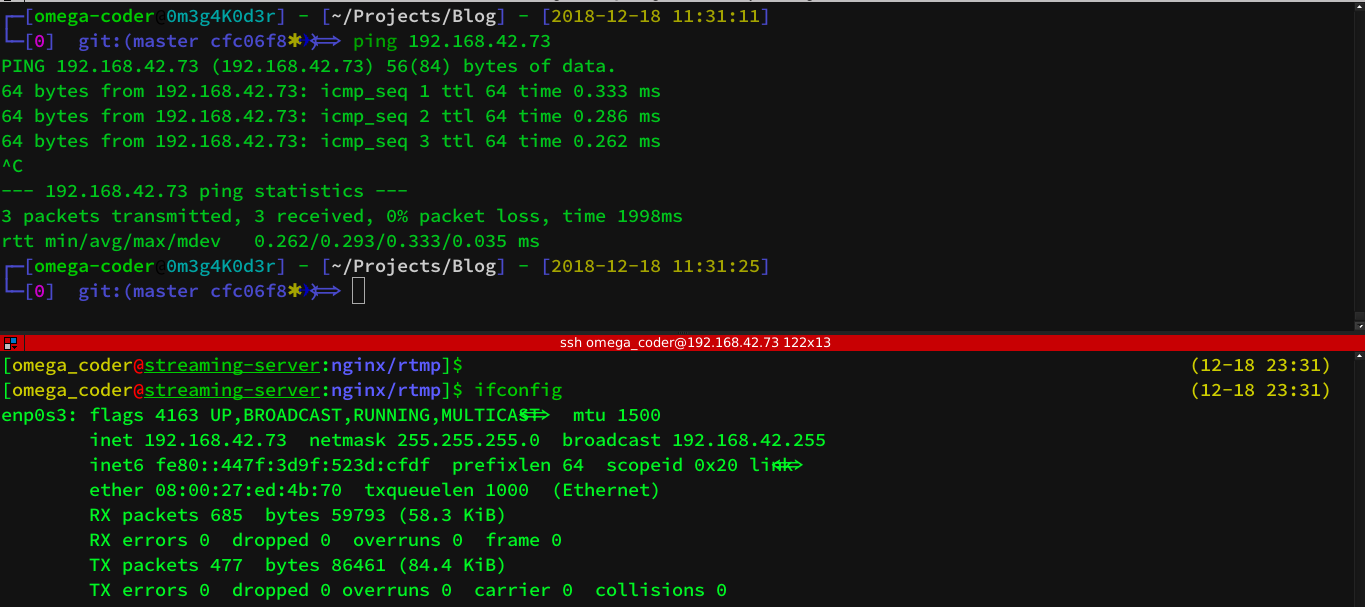
First, verify the server is reachable:
VoD playback — open VLC and use the network stream URL:
rtmp://YOUR_SERVER_IP/vod/your_video.mp4Live streaming — use OBS Studio or ffmpeg to push a stream:
ffmpeg -re -i input.mp4 -c copy -f flv rtmp://YOUR_SERVER_IP/my_live/stream_keyThen pull the HLS stream in VLC:
http://YOUR_SERVER_IP/hls/stream_key.m3u8Next Steps
- Add authentication with
on_publishcallback - Configure HTTPS for the HLS endpoint
- Set up transcoding with
ffmpegfor multiple quality levels - Use
nginx-rtmp-module’s built-in statistics page at/stat
RTMP streaming is surprisingly lightweight — it runs comfortably on a Raspberry Pi for small audiences.